Upload Design Guidelines
Learn how to create professional, consistent thumbnails for your Blendflare uploads.
Purpose of These Guidelines
Creating a cohesive visual experience
These guidelines keep thumbnails consistent, making it easier to explore and find what you're looking for among different artists work.

Global Thumbnail Requirements
Universal standards for all thumbnail uploads
Important: The first image of your 5-image upload serves as the main thumbnail and must follow these specifications.
Universal Requirements
- •Transparent background (alpha channel) whenever possible (PNG or WebP)
- •Centered composition to ensure proper display in square aspect ratios
- •Neutral lighting that clearly showcases the asset
- •Square format compatibility for addon integration


3D Model
3D Models
Guidelines for 3D model thumbnails
- ✓Use transparent alpha channel
- ✓Center the model in the frame
- ✓Apply neutral, even lighting
- ✓Ensure the model is clearly visible from the best angle
✓ Good Example
✗ Bad Example

Materials
Guidelines for material thumbnails
- ✓Display material on a standard sphere
- ✓Use the Blendflare Thumbnail Generator addon for consistency
- ✓Alternatively, create a custom image following the same standard
- ✓Transparent background preferred
- ✓Show material properties clearly (roughness, metallic, normal details, etc.)
Pro Tip: The Blendflare Thumbnail Generator addon automatically creates consistent material previews, saving you time and ensuring quality.

HDRI
Guidelines for HDRI thumbnails
- ✓Show the full HDRI panorama without any objects
- ✓No alpha channel required (background can be visible)
- ✓Display the lighting environment clearly
- ✓No need for preview spheres in the thumbnail
 Photo by Dimitrios Savva and Jarod Guest from Poly Haven under CC0.
Decals
Guidelines for decal thumbnails
- ✓Alpha channel preferred but not mandatory
- ✓Show the decal clearly against a neutral background
- ✓Ensure pattern or texture is easily identifiable
- ✓Center the decal in the composition
With Alpha Channel

Brushes
Guidelines for sculpting brush thumbnails
For sculpting brushes:
- ✓Display a sphere with the brush shape applied
- ✓Use the Blendflare Thumbnail Generator addon for consistency
- ✓Show the brush stroke or pattern clearly
- ✓Transparent background recommended
Additional Tips
Best practices for high-quality uploads
Image Quality
- •Use high-resolution images (1280x720 or higher)
- •Ensure proper lighting that doesn't wash out or obscure details
- •Avoid excessive post-processing or filters
Consistency
- •Following these guidelines helps maintain the professional look of the platform
- •Consistent thumbnails make browsing easier for users
- •Well-formatted assets receive more visibility and downloads
Tools
Blendflare Thumbnail Generator
Automatically generate compliant thumbnails for Materials, Brushes, and Assets
This addon automatically creates consistent, guideline-compliant thumbnails for your Blendflare uploads. It ensures proper formatting, lighting, and composition while saving you time.
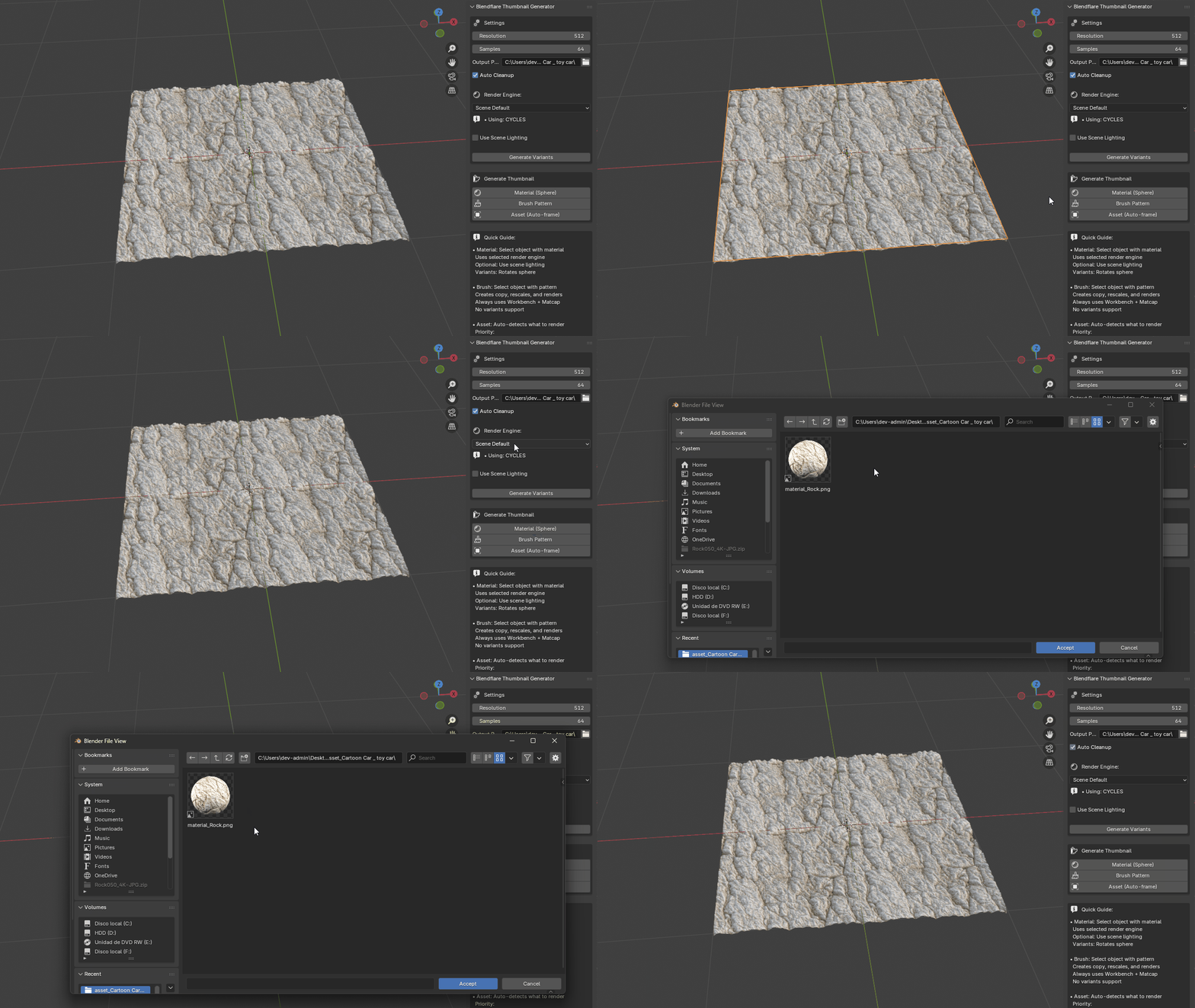
Materials on sphere
Brush patterns
Auto-framed assets
Multiple variants
Compatible with Blender 4.2+ • The addon ensures consistency across submissions and saves time by automating the entire thumbnail creation process.
Summary Checklist
Verify before uploading your asset
- First image follows category-specific guidelines
- Transparent background applied (where required)
- Asset is centered in the frame
- Lighting is neutral and clear
- Image is high resolution (1280x720 or higher)
- For Materials/Brushes: Used thumbnail generator addon or matching standard
Thank you for contributing to Blendflare! By following these guidelines, you're helping us maintain a professional, user-friendly platform for the entire 3D community.